
 Trade
Trade
Place your first trade on Reversion
You’re in Trade mode and ready to place your first trade. This walkthrough takes you from selecting a market to closing a position.
-
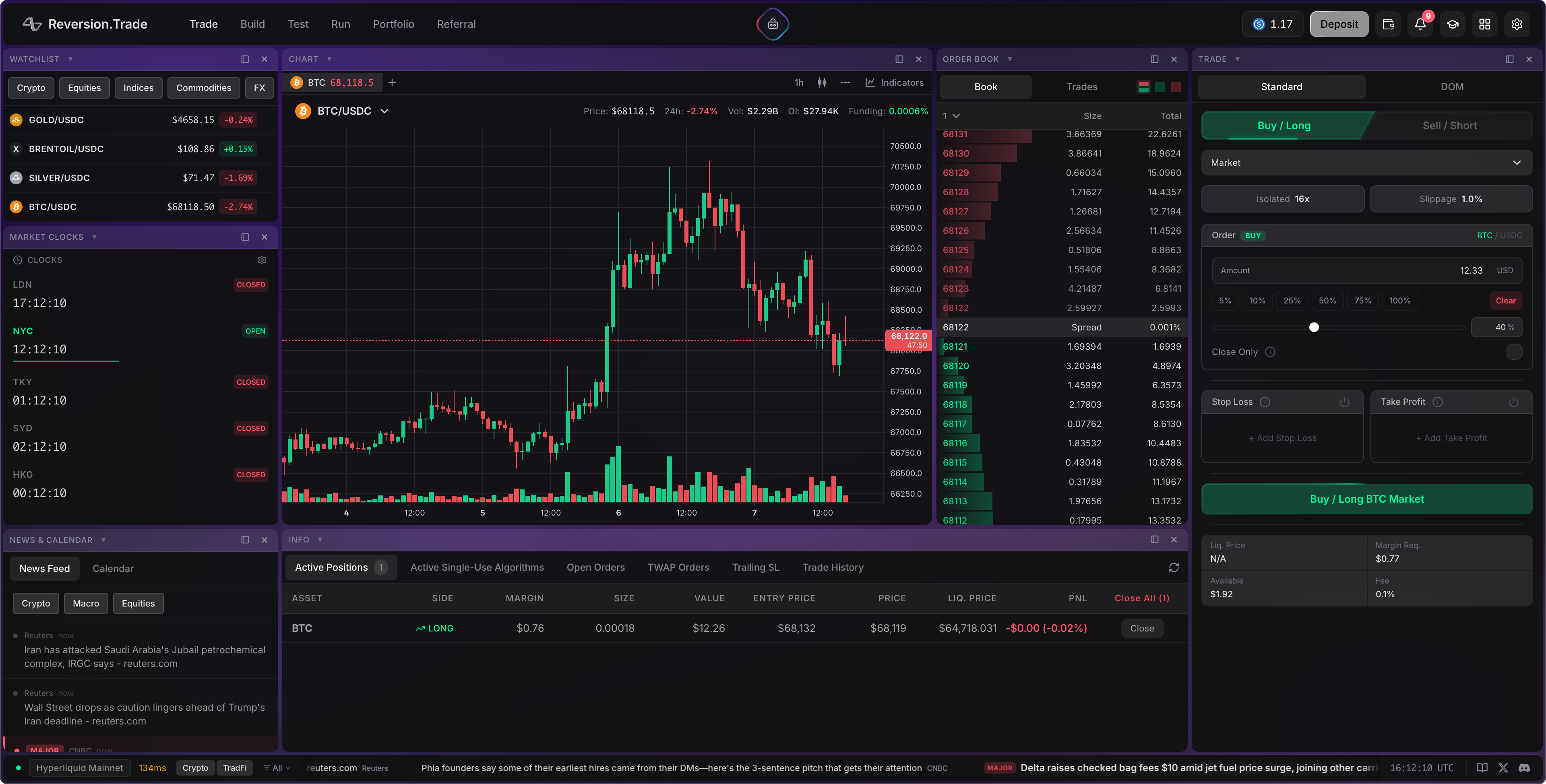
Explore the Trade Layout
Take a moment to orient yourself:
- Left column: Watchlist, market clocks, and news & economic calendar
- Center: Candlestick chart with price and volume (top), orderbook showing real-time bids and asks (right of chart), and info panel with positions, orders, and trade history (bottom)
- Right column: Order form for placing trades
-
Select a Market
Click the token dropdown in the chart header and search for
BTC/USDC. Click it to load the chart and orderbook for Bitcoin.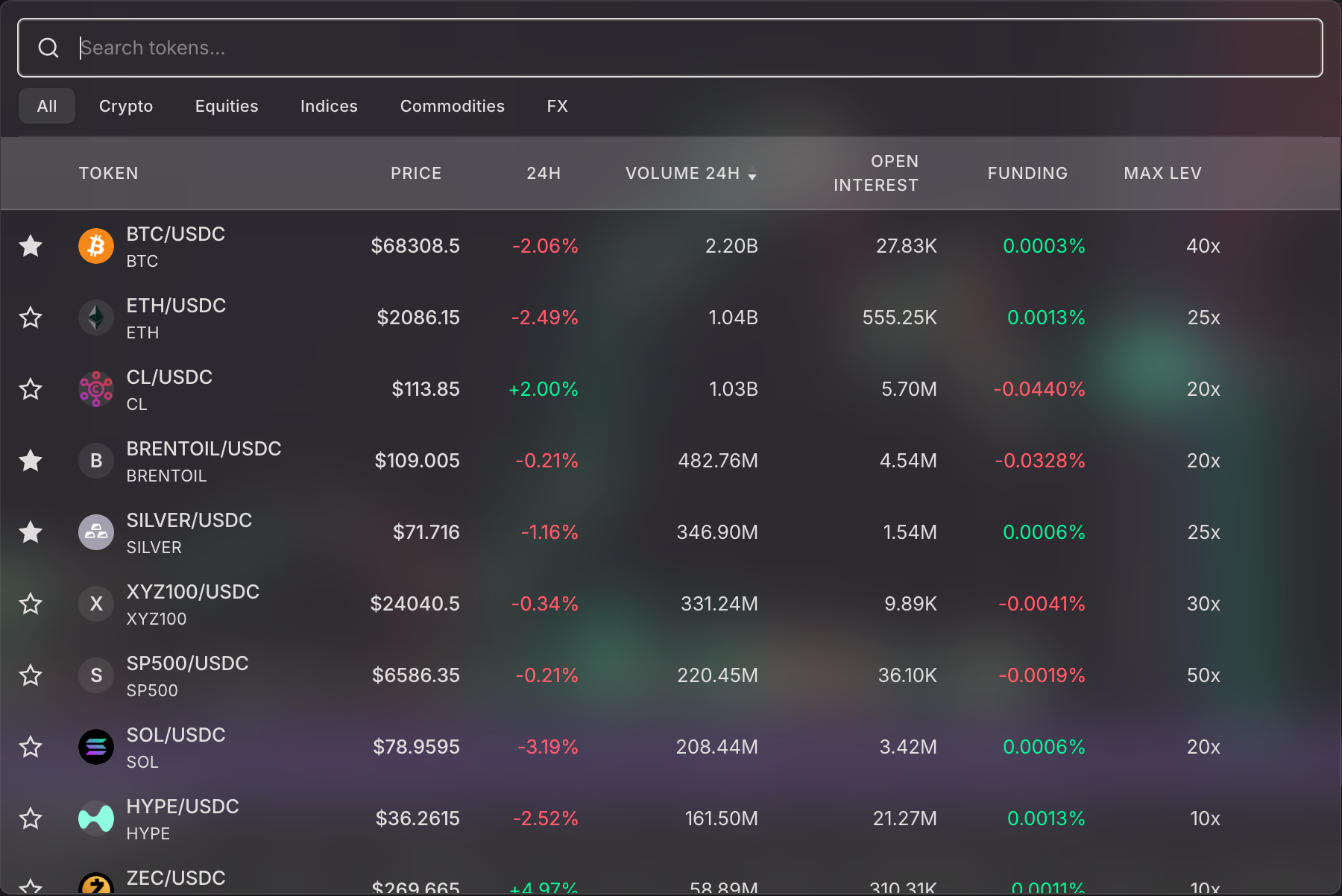
-
Set Your Leverage
Click the leverage display near the order form. Start with 2x — low enough to learn safely.
- Slider: Drag to set leverage
- Margin mode: Leave on Cross for now (uses your full balance as collateral)

-
Place a Market Order
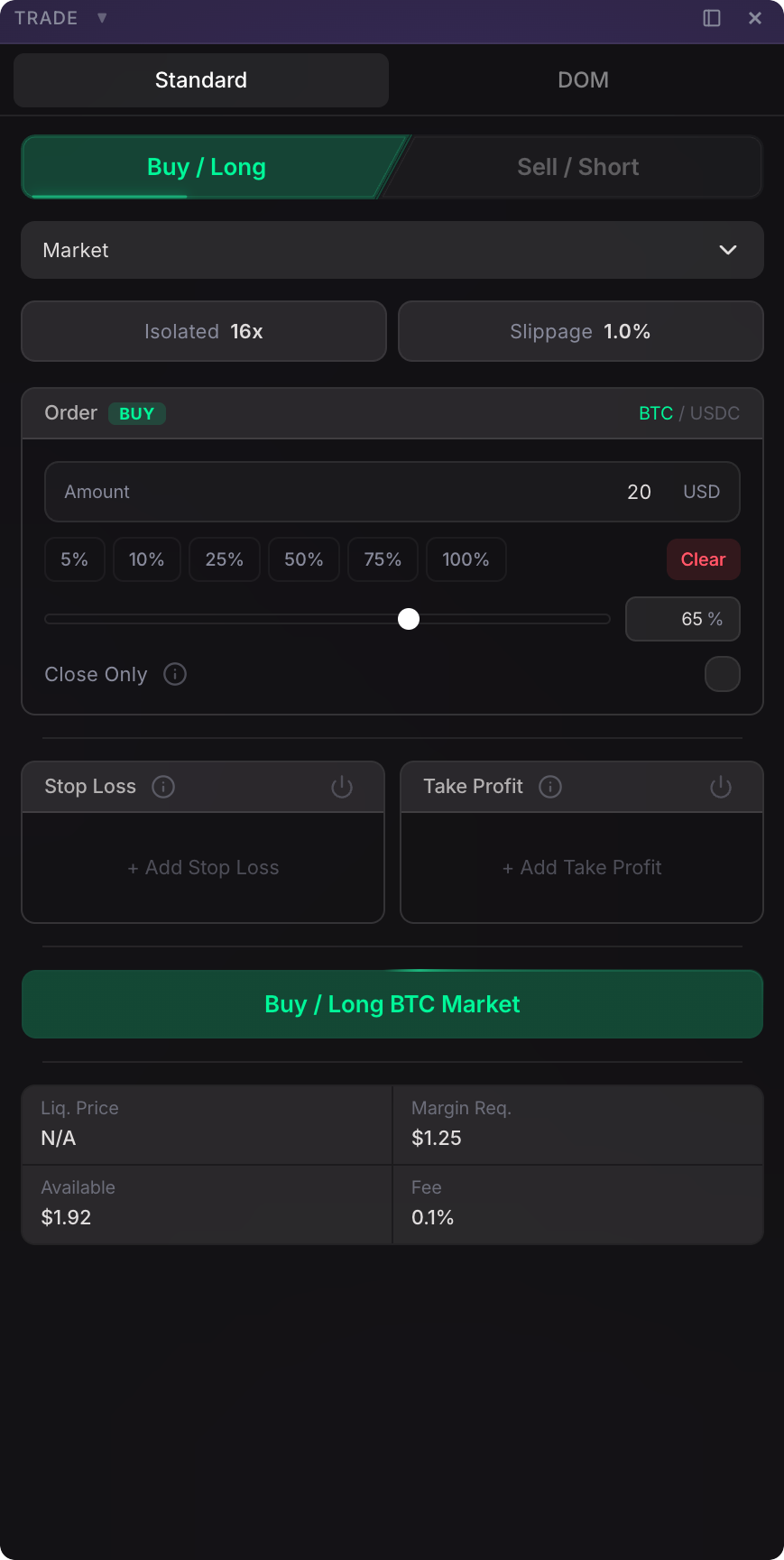
- Select Market as the order type
- Click Buy / Long
- Enter a small amount — $20 is fine
- Click the order button
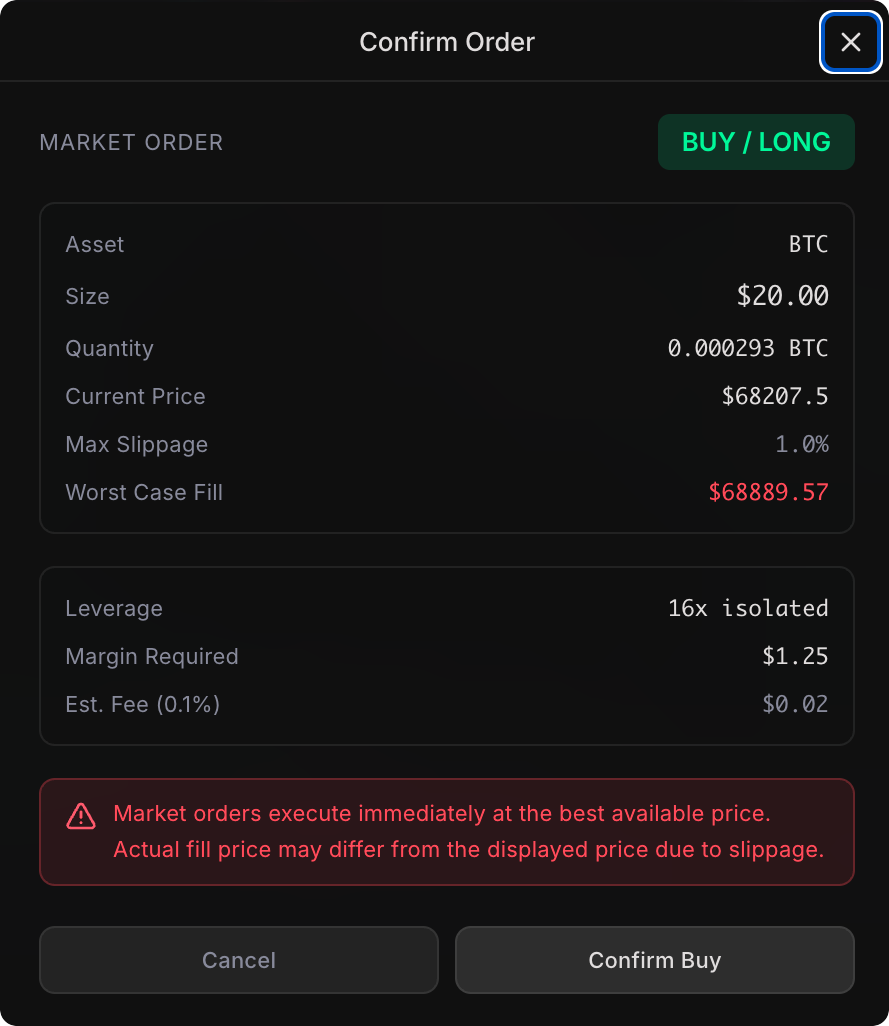
- Review the confirmation modal (it shows fees, leverage, and margin required)
- Confirm
-
Watch Your Position
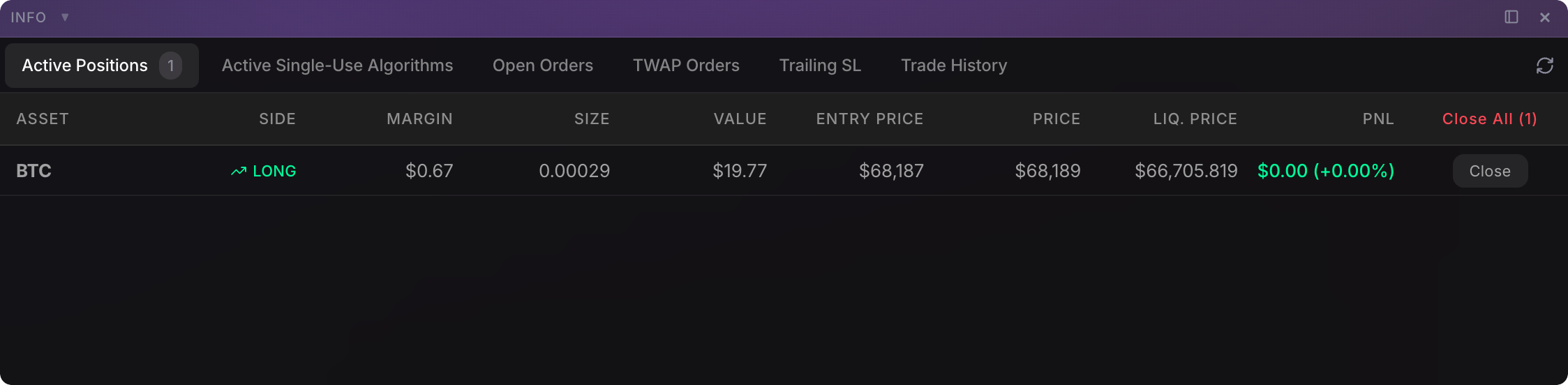
Your position appears instantly in the Active Positions tab at the bottom. You’ll see entry price, mark price, unrealized P&L, and liquidation price — all updating in real-time.
-
Close the Position
Click Close on your position to exit with a market order. Check the Trade History tab to see the completed trade with P&L.
You’ve just placed your first on-chain perpetual futures trade!
What’s Next?
Section titled “What’s Next?”| Want to… | Go to |
|---|---|
| Build your first algorithm | Build Walkthrough → |
| Learn all order types and features | Trade Features → |